Chat, agents, tools, models and user login in one clear interface.
NOVA AI · A KITZLABS SOFTWARE PRODUCT
NOVA AI by kitzlabs.aiYour ownAI workspace.
NOVA AI by KitzLabs is a standalone customizable AI software offering for your business. Your own chat workspace, login, specialist agents, skills, MCP tools and automations – on your PC or private server.
Your own loginAgent personalitiesSkills & MCP toolsLocal PC or private VPS
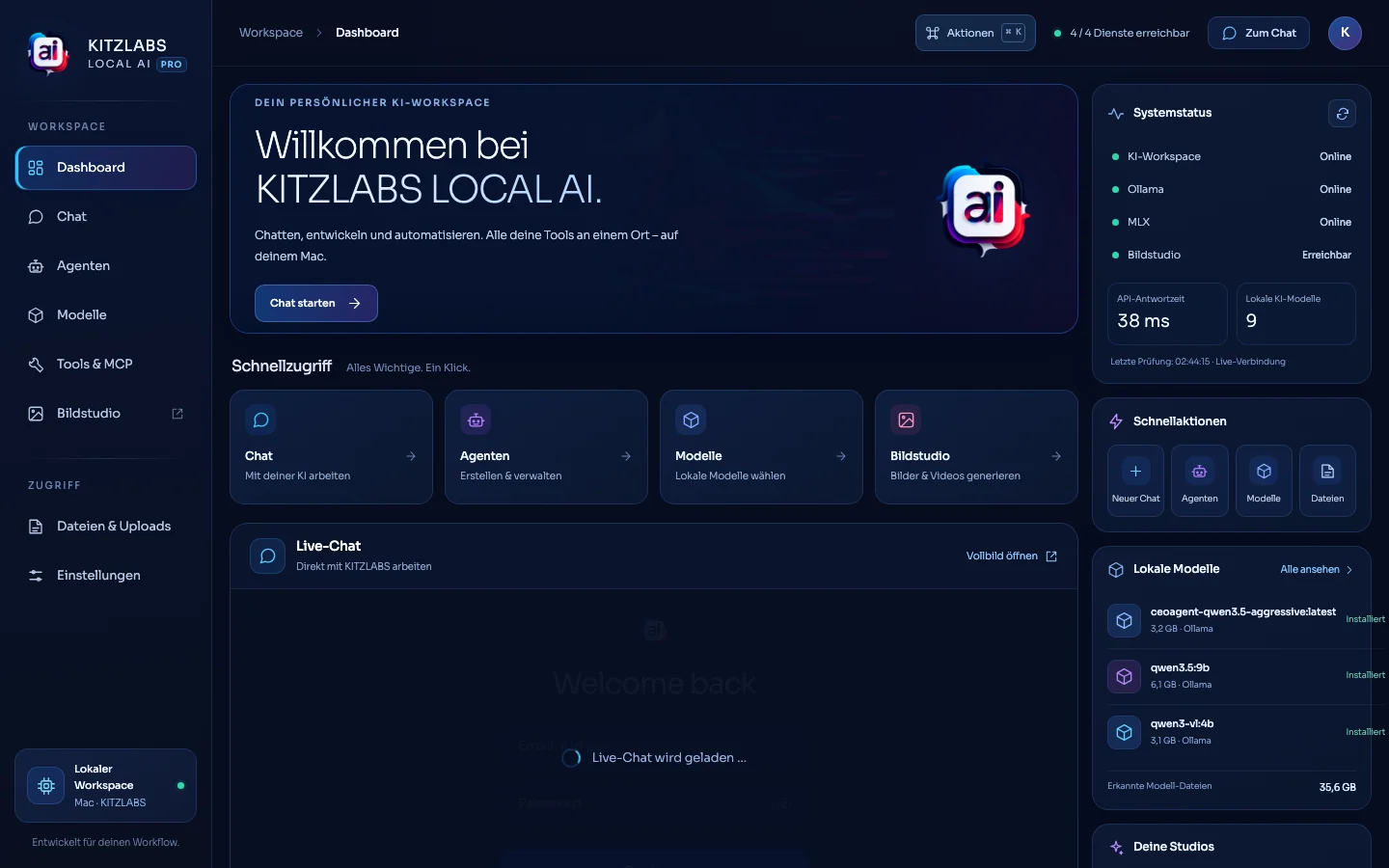
Original dashboard from our Mac setup15.10.2026
Your controlChoose users, models, permissions and integrations.
No mandatory AI subscriptionLocal models do not require a recurring model-API subscription.
10-minute quick start*Possible for a prepared base setup, with prerequisites in place.
Your brandCustom logo, colors, UI and agent setup.
WHY KITZLABS NOVA AI
Your own AI chat – built around your business.
Work in one customizable space without juggling separate AI subscriptions, tools and logins.
Use suitable self-hosted open-weight models without a recurring model subscription.
Customize logo, colors, identity, agent names and user experience.
Choose infrastructure, user permissions, approvals and data routes.
* A prepared base system can sometimes be started in about 10 minutes when hardware, software and permissions are ready. A complete first-time installation, model downloads, secure VPS setup and integrations take longer. NOVA AI models do not require a mandatory monthly model subscription; hardware, electricity, hosting, consulting, support and optional external APIs can still cost money.
LOOK INSIDE THE APP
A real interface, with a simple starting point.
Genuine captures of the dashboard, login and model management – plus one clearly marked example conversation. The production software is unchanged.
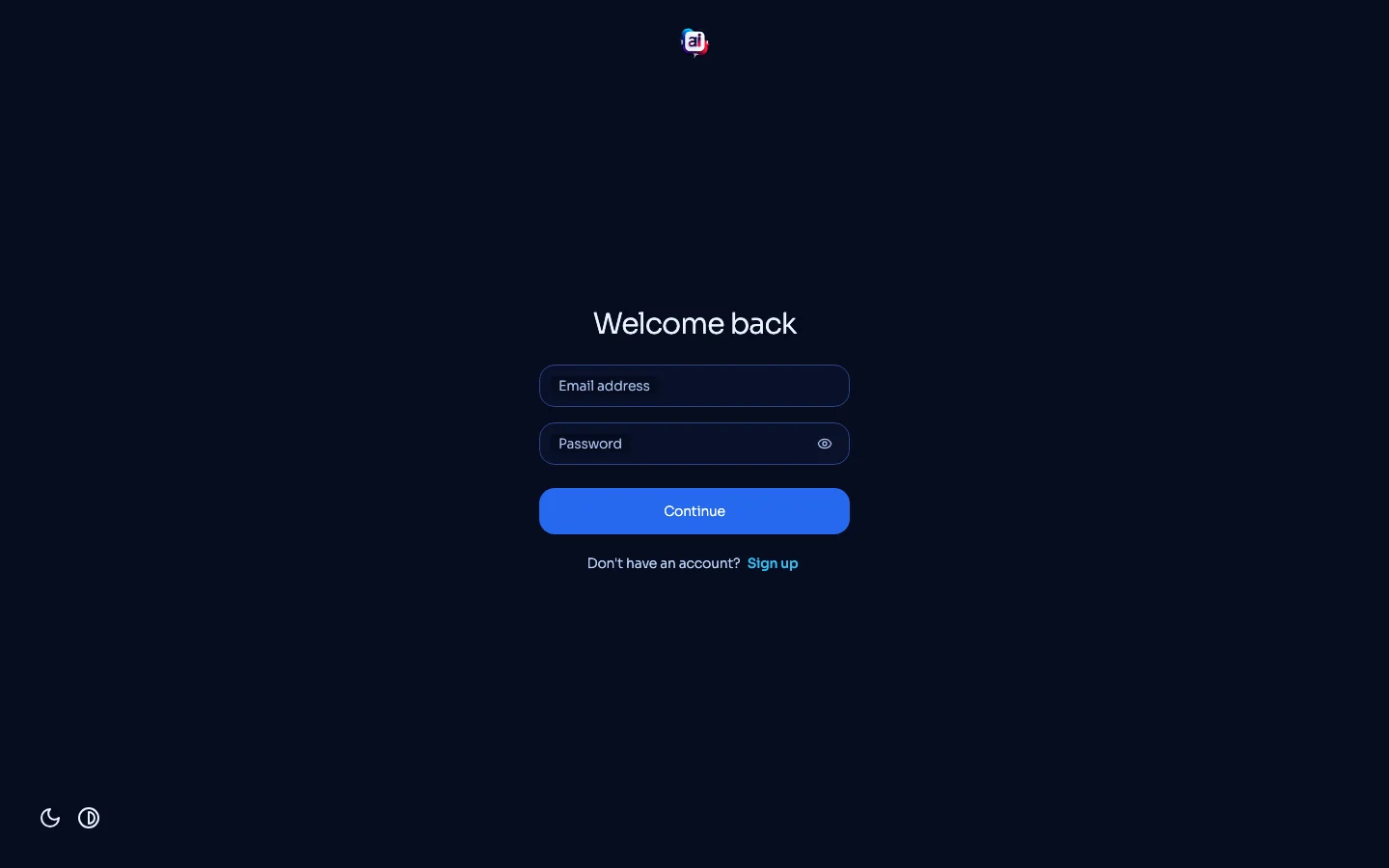

Note: genuine screenshots show the software UI from before the NOVA AI rebrand. The running Mac application has not been modified by this website update.
REAL WORKSPACE
See the real workspace in motion.
Short recording of the genuine local dashboard; not a recreated UI.
ORIGINAL UI
Dashboard walkthrough · original capture
Navigation, models and workspace sections in the running local installation.
WHAT YOU CAN DO
More than a chat. Your AI team in one place.
Start with a simple chat and add specialists, data sources and automations as your work evolves.
Private chat and login
A personal AI chat with protected sign-in, choice of models and dedicated workspaces.
Agents with personalities
Set the role, communication style, model, rules and scope of each specialist agent.
Skills and knowledge
Give agents reusable instructions, task-specific skills and approved documents.
MCP tools
Connect agents to approved files, calendars, GitHub, CRM or other compatible tools.
Automations
Run defined workflows and keep sensitive or high-impact actions under approval.
Local models
Use self-hosted model runtimes that suit your hardware, without requiring every prompt to reach an external API.
AGENTS EXPLAINED
How do I use an AI agent?
An agent is a specialized assistant. Give it a job, personality, instructions, permitted tools and clear boundaries. Then talk to it or assign a workflow.
Example: your hotel assistant
Example: your hotel assistant
“You are a friendly hotel receptionist. Help answer guest questions using only approved information. Never confirm a reservation without staff approval.”
Personality defines tone; skills guide repeatable work; knowledge provides facts; MCP integrations enable permission-controlled access to other apps.
KitzLabs NOVA AI · Agent
RoleGuest service and reception
PersonalityFriendly, precise and helpful
SkillsGuest questions and handover drafts
KnowledgeApproved house details and FAQs
MCP toolsOptional calendar or booking integration
RuleNo reservation without confirmation
Illustrative agent setup, not a real customer configuration.1 · TaskAsk in chat or start a scheduled workflow.
2 · AgentUses assigned role, skills and knowledge.
3 · MCP ToolAccesses only explicitly approved systems.
4 · ApprovalA person checks important actions and results.
MCP, in simple terms: a standard way for AI agents to use certain tools. For example, an authorized agent can read a file or prepare a calendar event. Write access, external requests and approvals must be configured explicitly.
YOUR INFRASTRUCTURE
Run it on your own computer or server.
The original screenshots come from a running Mac installation. Customer deployments can be configured locally, on a suitable private VPS or as a hybrid setup.
Models and chat can run locally, depending on device and software setup.
A central private server with protected access after proper deployment and security configuration.
Combine selected local models with authorized server services or external integrations.
SETUP, GUIDE AND SUPPORT
A prepared quick start in around 10 minutes.
A basic preconfigured environment can launch quickly. A secure customized deployment and model downloads take longer.
Verify compatible hardware or VPS, storage, Docker and appropriate permissions.
Set up the prepared workspace using the installation guide.
Create your login, select a model and try the first chat.
Configure agents, branding, skills, MCP tools, backups and approvals.
✓ Setup assistance available✓ Setup-specific installation guide✓ Onboarding and support by agreement✓ Custom branding and permissions
The 10-minute estimate is for launching an already prepared base system when prerequisites are met, not every first installation. A public one-click installer is not offered here. Personalized instructions and assistance can be included with your setup.
COMMON QUESTIONS
Clear answers before you begin.
Do I need a recurring ChatGPT or model subscription?
Not necessarily. Suitable locally hosted open-weight models do not require a mandatory monthly model subscription. Hardware, electricity, hosting, installation, support and external services may involve fees.
Is it actually my own ChatGPT?
You receive your own configurable AI chat workspace with login, models and agents, using compatible software components. It is not a separate edition of OpenAI ChatGPT.
Is setup really possible in 10 minutes?
A prepared basic installation can be started quickly on suitable hardware. Initial deployment, models, security hardening and custom integrations may take substantially longer.
What can skills and MCP tools do?
Skills are reusable task instructions. MCP is a connection standard for giving authorized agents access to specific tools. Rights and human approvals control what actions are permitted.
Is all data automatically private and offline?
No. With locally hosted models, processing can remain on your infrastructure, but external APIs, connectors and your security settings determine actual data flows. We configure and review these for your needs.
Can I change the branding and get support?
Yes. Logo, colors, UI and agent setup can be tailored. We can provide setup-specific guidance, onboarding and support by agreement.
YOUR OWN AI PLATFORM
Make AI work on your terms.
Plan the right models, infrastructure, design, access rules and agent workflows with KitzLabs. Setup guidance and support can be included.